

Appearance
Agent library
An agent bundles a system prompt + model + domain + tags + visibility + alignment anchors so you can reuse it in any chat. EchoMode includes built-in agents, and you can build your own.
The Agent library is where you browse, build, and manage agents. It has two tabs: Published and Drafts.
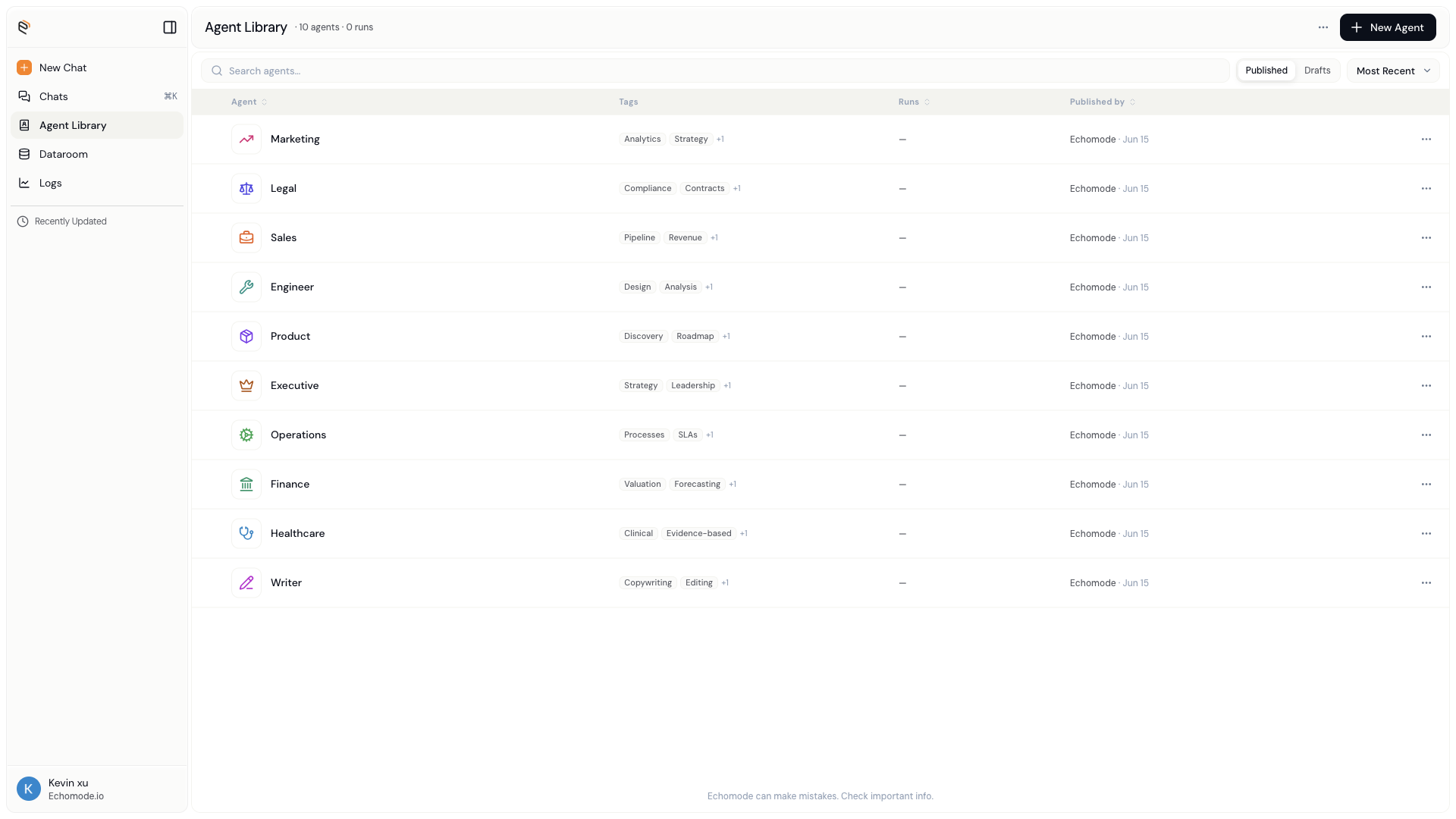
The Agent library opens on the Published tab, with a count of agents and total runs in the header.
Published vs. Drafts
EchoMode separates the agents you can use from the work you're still shaping.
- Published agents are finished, immutable snapshots. These are the agents available to start chats and to drop into workflows.
- Drafts are your editable works-in-progress. A draft becomes usable only once you publish it.
INFO
Editing is never destructive. Publishing a draft creates a new version and leaves earlier versions exactly as they were, so the chats that used them keep working. See Versions & publishing.
The Published tab
Every published agent you can see, in a single list. Each row shows:
| Column | What it tells you |
|---|---|
| Agent | The agent's icon, name, and a short description |
| Tags | Short labels for finding it |
| Runs | How many times it's been used |
| Published by | Who published the current version, and when |
Published by names whoever published the agent's current version, so you can tell your agents from a teammate's at a glance. Click any row to open the agent's read-only Published view, where you can read the prompt and configuration, then choose Edit to start a draft.
The Drafts tab
Your works-in-progress, plus the version history behind each one.
| Column | What it tells you |
|---|---|
| Agent | The draft's icon and name |
| Created by | Who owns the draft |
| Able to publish | A green Yes once the draft meets every readiness requirement |
| Score | The draft's advisory eval score, or - if it hasn't been scored |
| Last edited | When the draft last changed |
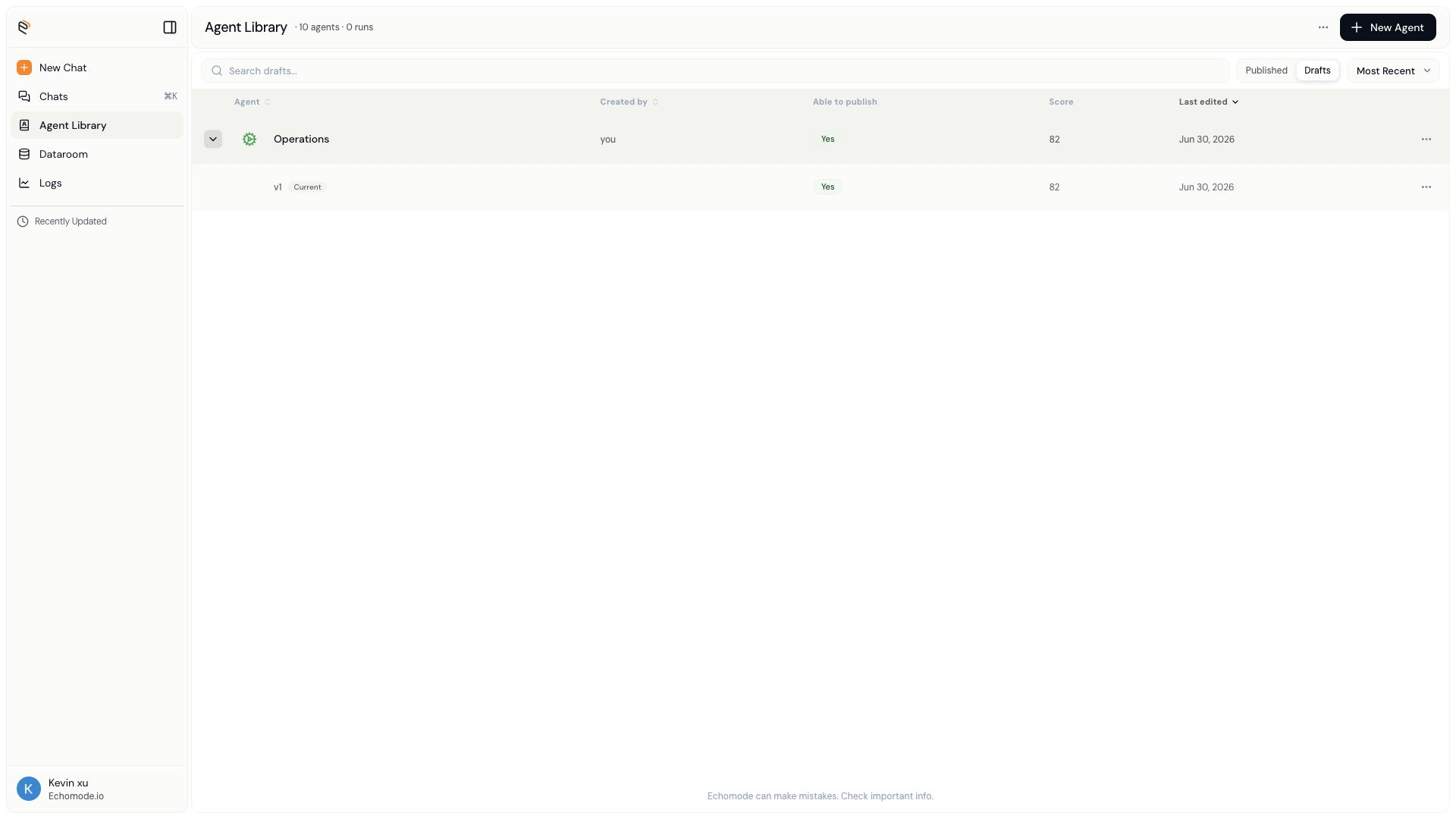
Expand a draft to see its version ladder - every published version of that agent, newest first.
Click the chevron on a draft to expand its version ladder: the full history of published versions for that agent. From the ladder you can Edit an older version (which starts a fresh draft from it), Publish a ready draft, or Delete a version you own.
Search, sort, and create
- Search filters the active tab by name.
- Sort by Most recent (default) or Name A-Z.
- New Agent starts a fresh draft and opens the agent editor.
The ⋯ menu
Every row has an overflow (⋯) menu. What you see depends on the tab and on whether you own the agent.
| Tab · who you are | Menu items |
|---|---|
| Published - owner | Delete, Hide |
| Published - not yours | Hide |
| Drafts - owner | Edit, Delete draft, Hide |
| Drafts - not yours | View, Hide |
Hide removes a row from your library without deleting anyone's work. Hidden items collect in the Hidden from library dialog, where you can Unhide them at any time.
WARNING
Delete and Delete draft are permanent and can't be undone. Deleting a published version can't take back chats that already ran on it, but it does remove that snapshot from the library.
Built-in presets
The built-in agents open in a read-only Published view, so you can see exactly how they're set up. To make one your own, open it and choose Fork as my draft - EchoMode copies its configuration into a new draft you own, ready to edit and publish.