

Appearance
Roles & permissions
EchoMode has roles at two levels: across the whole organization, and within each team.
- Organization roles: Org Admin, Org Member
- Team roles: Team Admin, Team Member
Organization roles
| Capability | Org Admin | Org Member |
|---|---|---|
| Chat with agents | ✓ | ✓ |
| See the Members & Teams settings | ✓ | — |
| Invite people | ✓ | — |
| Change someone's role | ✓ | — |
| Deactivate or remove someone | ✓ | — |
| Reset someone's password | ✓ | — |
| Create teams | ✓ | — |
| Manage all teams | ✓ | — |
WARNING
Org Admins have organization-wide access and cannot join individual teams. To join a team, an Org Admin must first be demoted to Org Member.
INFO
The last remaining Org Admin cannot be demoted — at least one Org Admin must exist at all times.
Team roles
| Capability | Team Admin | Team Member |
|---|---|---|
| Access team-level resources | ✓ | ✓ |
| Add or remove team members | ✓ | — |
| Promote or demote team members | ✓ | — |
Team roles are independent per team — a person can be a Team Admin in one team and a Team Member in another.
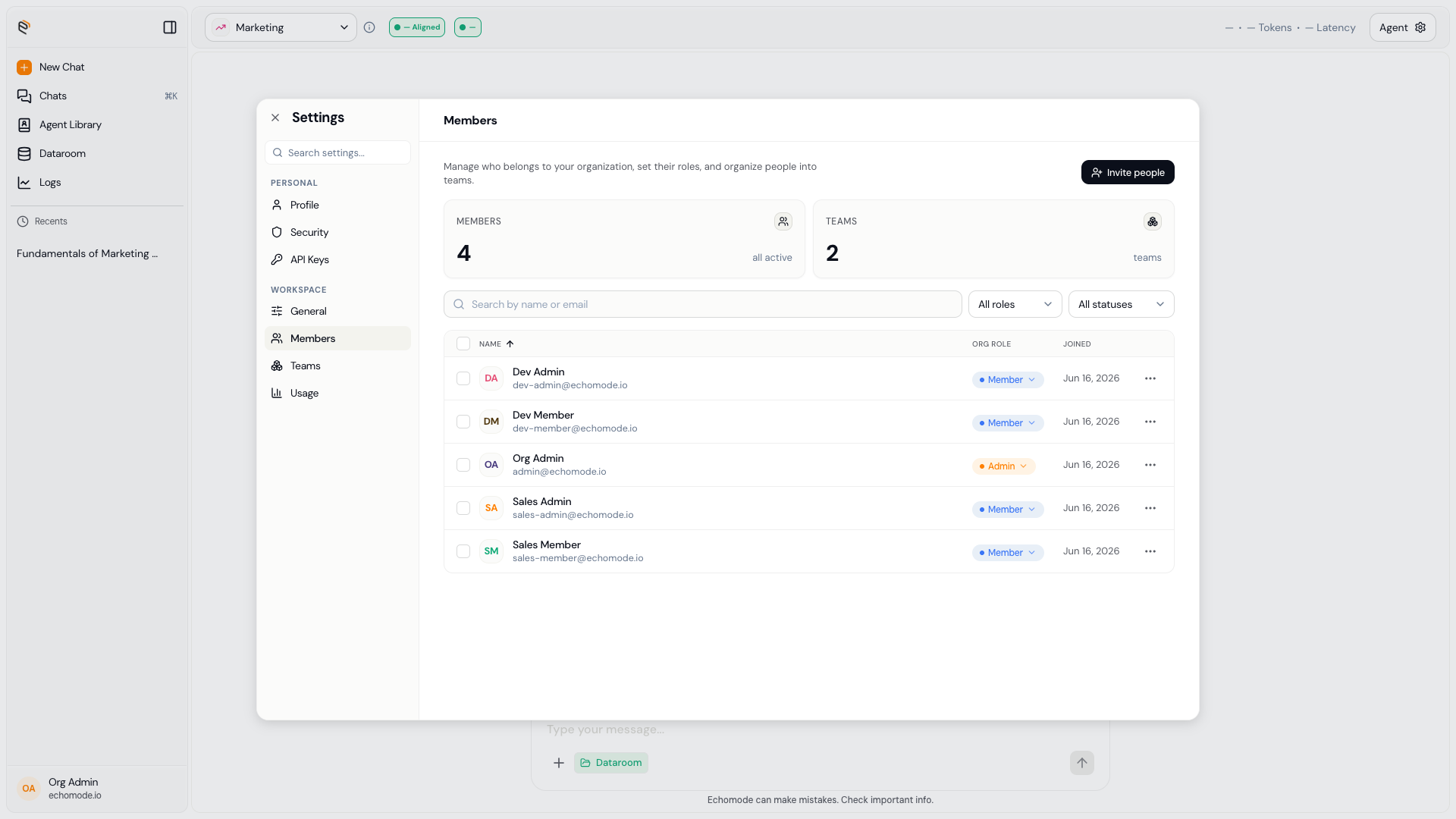
The Members list in Settings › Workspace, where roles are shown and changed.
Managing a person
Org Admins can act on any member from the workspace settings. Team Admins can manage members within their teams.
- Change role — promote or demote at the organization or team level.
- Deactivate — temporarily disable access (reversible).
- Reactivate — restore a deactivated account.
- Remove — permanently remove the person from the workspace.
- Reset password — set a new password for someone locked out (Org Admin only).
TIP
Use Deactivate for someone on leave and Remove only when a person is leaving for good. Deactivation can be undone; removal can't.