

Appearance
Switching models
A model is the underlying AI that generates replies. EchoMode lets you choose from several, across the Claude, GPT, and Gemini families. The model is separate from the agent: the agent sets the voice and subject, the model does the thinking.
Available models
| Provider | Models |
|---|---|
| Anthropic | Claude Haiku 4.5 · Claude Sonnet 4 · Claude Sonnet 4 (web search) |
| OpenAI | GPT-4o · GPT-4o (web search) · GPT-4o mini · GPT-4o mini (web search) |
| Gemini 2.5 Flash · Gemini 3.1 Flash-Lite · Gemini 2.5 Pro |
The (web search) models can look things up on the web as part of answering.
Change the model
Open the Agent settings panel from the chat header. The model selector is inside it; pick the model you want, and the header updates to show your choice.
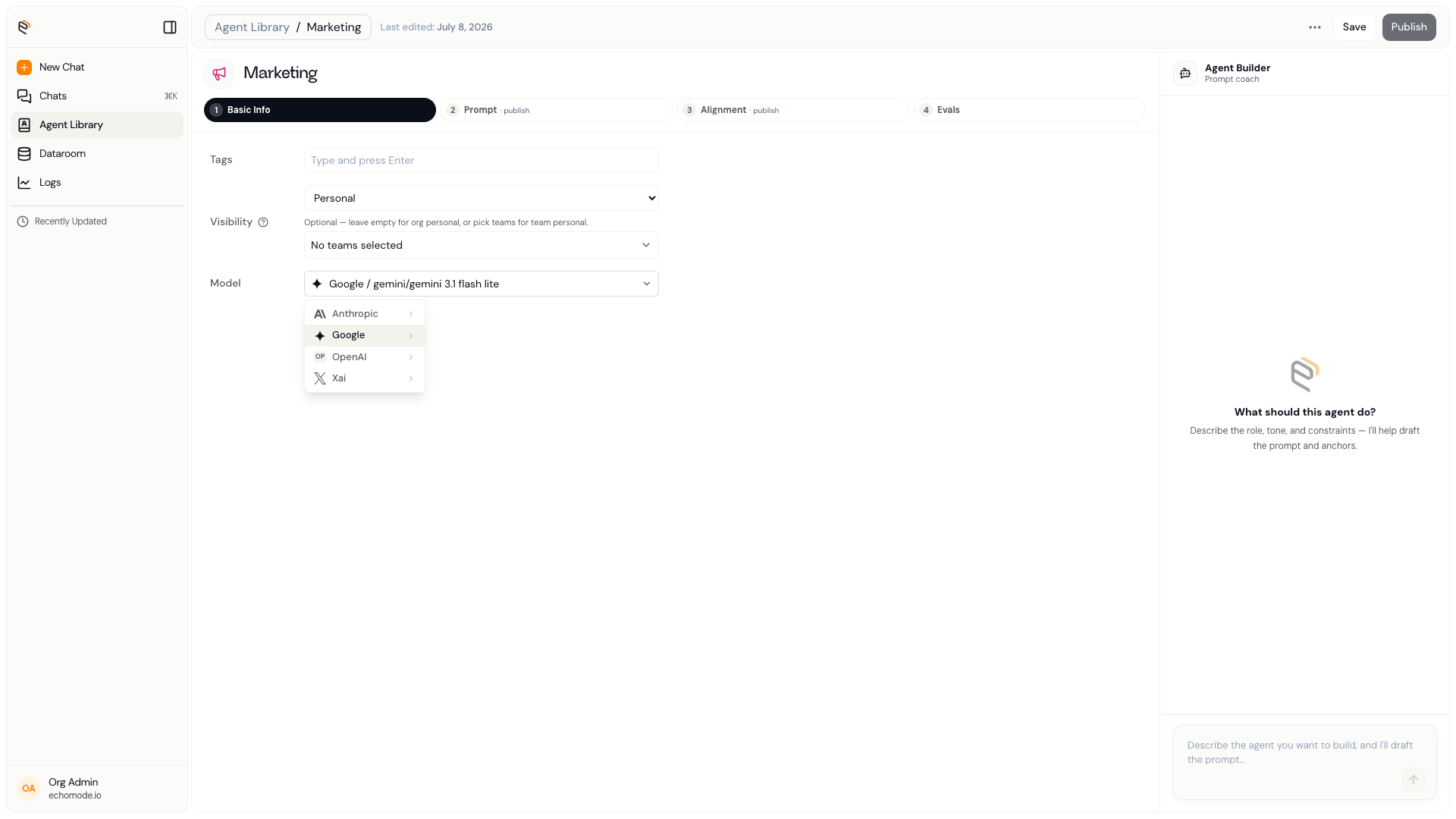
The Agent settings panel, where you choose the model behind your chat.
INFO
Like the agent, the model locks once the chat starts, so choose it before you send your first message. To use a different model afterward, start a new chat.
If you don't pick one, EchoMode chooses a fast default for you based on what's available in your workspace (typically Gemini 3.1 Flash-Lite, GPT-4o mini, or Claude Sonnet 4).