

Appearance
Start a chat
A chat is one conversation with one agent. Here's how to begin.
- Open a new chat from the sidebar. EchoMode opens a short setup wizard so you can pick the agent you want to talk to — see Choosing an agent.
- Type your message in the composer at the bottom of the chat. The field reads "Type your message…" until you start typing.
- Attach files (optional). Select the
+button next to the composer to attach a file. EchoMode accepts images, PDFs, Word documents (.doc/.docx), and text files (.txt,.md,.csv). - Send. Select the send button (the up-arrow) or press Enter. The button is unavailable while a reply is still streaming or while the field is empty.
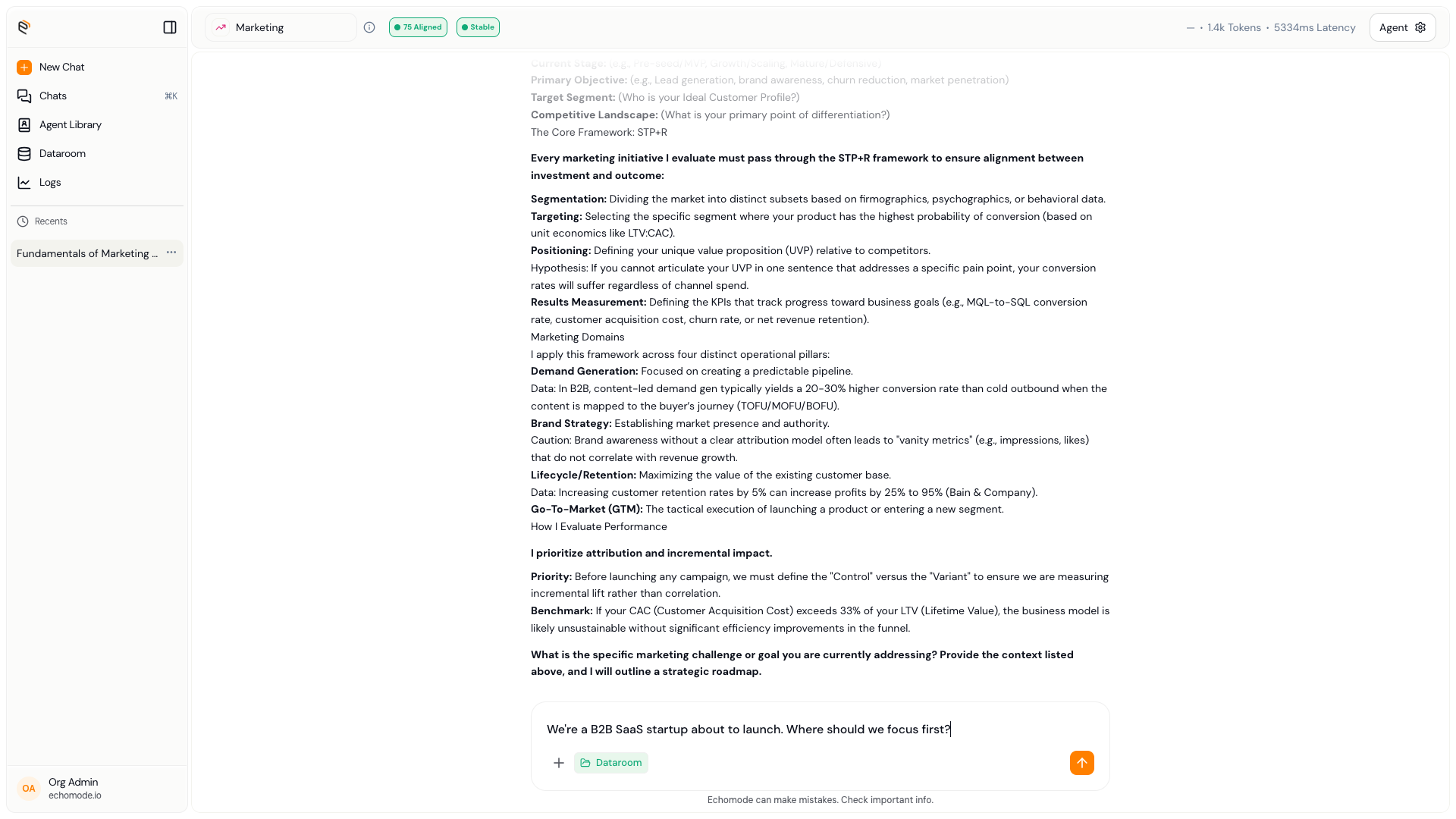
The composer: type your message, attach files with the + button, and send with the up-arrow.
What happens after you send
The reply streams in word by word. When it finishes, EchoMode scores how on-topic the exchange was — you'll briefly see "Computing alignment score…" in the header while it works. That score powers the drift signals described in Understanding Drift.
TIP
Want the assistant to answer from your own documents? Attach them through the + menu's Dataroom picker — see How search works.