

Appearance
Invite members
If you're an owner or admin, you can add people to your workspace. (Members can't — see Roles & permissions.)
Add people
Open the invite dialog and fill in a row for each person:
| Field | What to enter |
|---|---|
| The person's email address | |
| Password | An initial password for their account |
| Org role | Their role in the organization (Owner, Admin, or Member) |
| Team | The team to place them on (optional) |
| Team role | Their role on that team (Admin or Member) |
Choose Add another to add more people in one go, then confirm with Add user (or Add N users when you've added several rows).
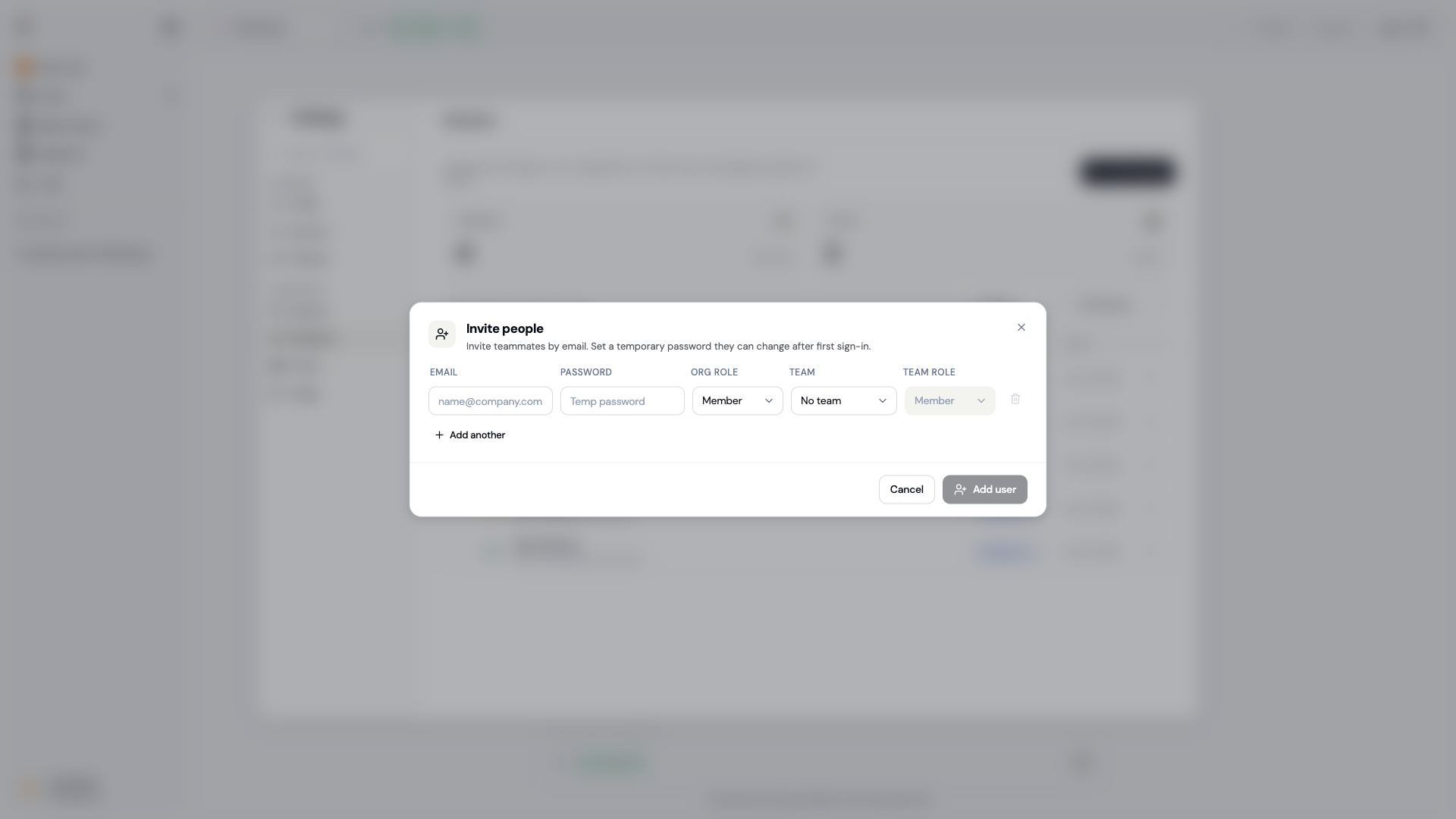
The invite dialog: add one or more people with an org role and an optional team.
INFO
Depending on your workspace's setup, invited people may be added directly rather than sent an email invitation. Share the initial password with them securely, and have them change it from Security settings after they sign in.