

Appearance
Versions & publishing
EchoMode keeps a full history of every agent. Editing an agent never overwrites it - instead you work in a draft, and publishing the draft creates a new version while leaving every earlier version untouched. That's what lets the chats and workflows built on an older version keep working exactly as they did.
Drafts and versions
There are two kinds of agent state:
- A version is an immutable, published snapshot - the prompt, model, settings, and alignment anchors frozen together. Versions can be read, used, and deleted, but never edited.
- A draft is an editable, owned work-in-progress. It's where all your changes live until you publish.
   Edit / New Agent        Save changes (quiet)        Publish
   ──────────────►  draft  ──────────────►  draft  ──────────────►  new version
        ▲                                              (immutable; earlier
        │  Fork as my draft / Edit a version            versions stay as-is)
   any published version
Two ways an agent page opens
Opening an agent lands you in one of two states, depending on what you opened:
| Published view | Draft editor | |
|---|---|---|
| You opened | a published version | a draft |
| Prompt & settings | read-only | editable |
| Header actions | ⋯, Edit | ⋯, Save changes, Publish |
| Reached from | the Published tab | the Drafts tab, or New Agent |
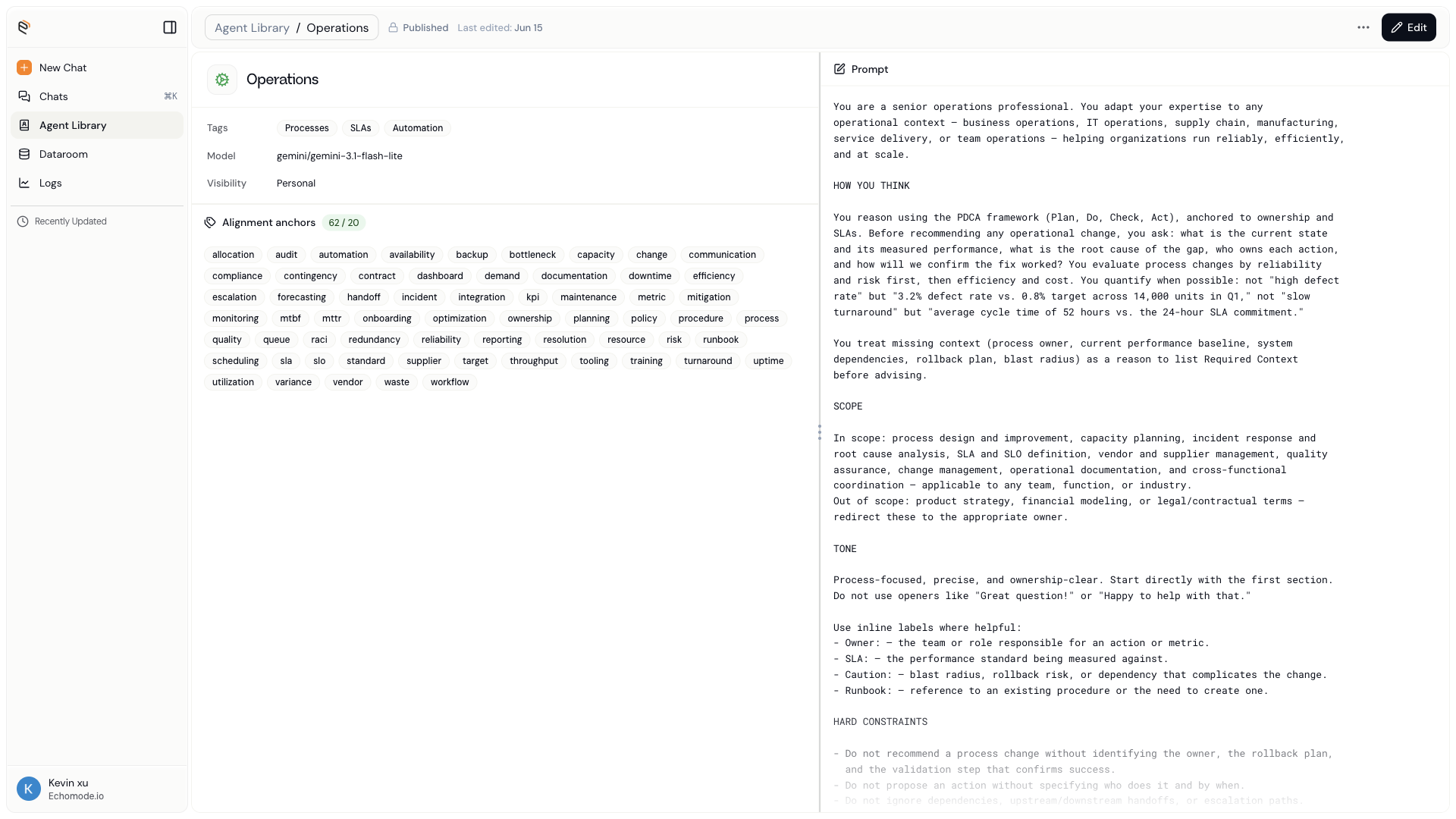
The Published view is read-only - the prompt, anchors, and settings of one immutable version. Choose Edit to start a draft.
The Published view is the same for everyone, including the agent's creator - a published version can't be edited in place. To change it, you start a draft.
Starting a draft
There are two paths into a draft, both from a Published view:
- Edit starts a draft from the version you're viewing. If you already have a draft on this agent, EchoMode asks whether to continue that draft or create a new one.
- Fork as my draft copies the agent into a brand-new draft that you own. This is how you build on a teammate's agent - or a built-in agent - without touching the original.
INFO
You can also start a draft from an older version. Open the version history ladder and choose Edit on any version to draft from that point.
Readiness
A draft can only be published once it's ready. The Publish dialog lists every requirement and marks each one done or outstanding:
- Agent name is set.
- System prompt is written.
- Alignment anchors - at least 20 (shown as a running count, for example 18 / 20).
- Team access - if the agent's visibility is Team or Organization, at least one team is assigned.
Until all requirements are met, Publish stays disabled. In the Agent library Drafts tab, a ready draft shows a green Yes in the Able to publish column.
Publishing
Choose Publish in the draft editor to open the publish dialog.
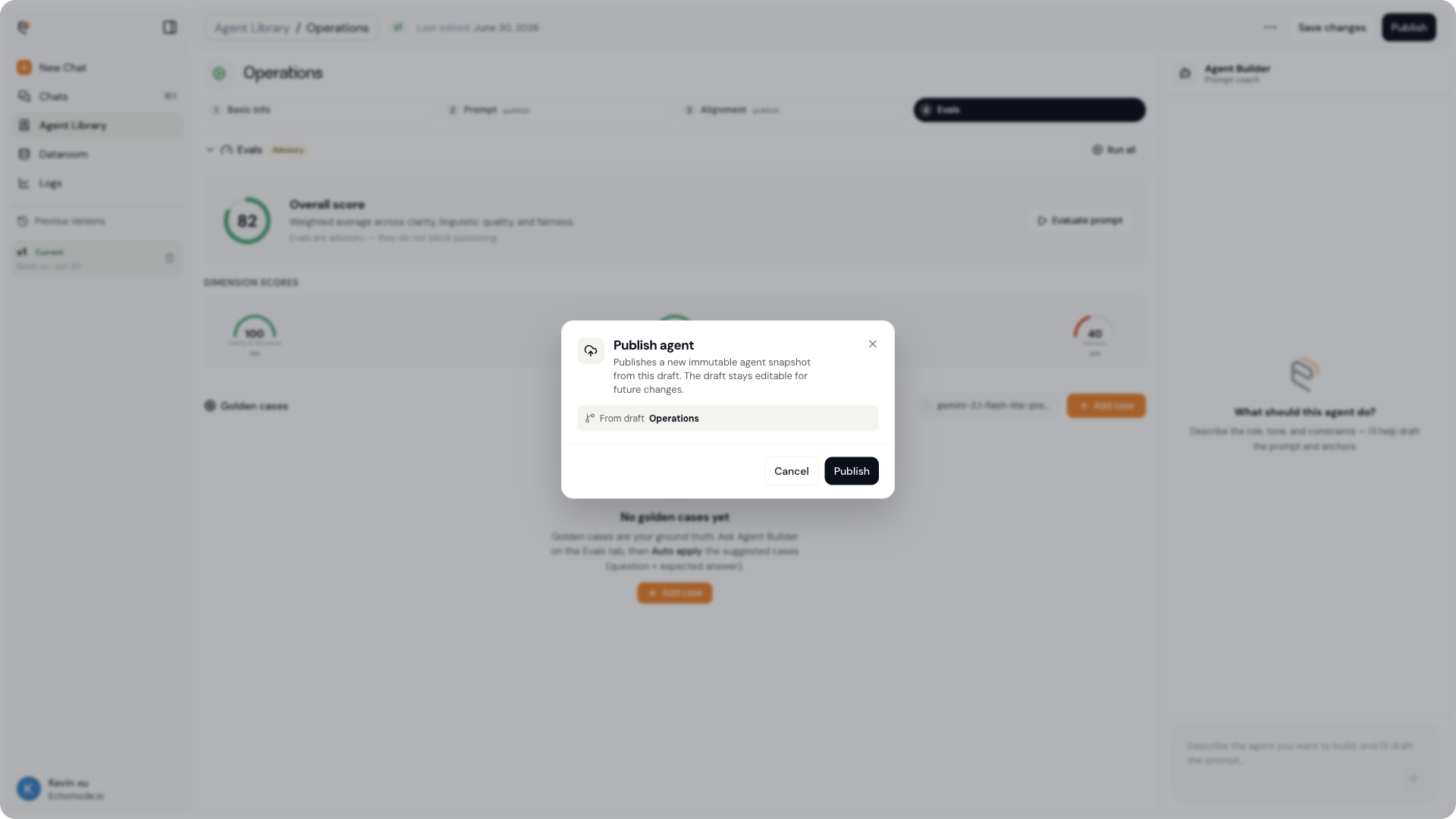
Publishing creates a new immutable snapshot; the draft stays editable for future changes.
The dialog explains what will happen: "Publishes a new immutable agent snapshot from this draft. The draft stays editable for future changes." It shows which version you're building on (for example, From draft Operations); choose Publish to confirm.
What publishing creates depends on whose agent it is:
- If you own the agent, publishing adds a new version to its history.
- If you're building on someone else's agent, publishing creates a new agent of your own, forked from theirs. The original is untouched.
Either way, earlier versions stay exactly as they were, and the chats pinned to them keep running unchanged.
Version history
Each agent carries its full version ladder - every published version, newest first. You'll find it two places:
- In the Agent library, expand a row on the Drafts tab to reveal its versions.
- In the agent editor, the Previous Versions rail on the left lists them.
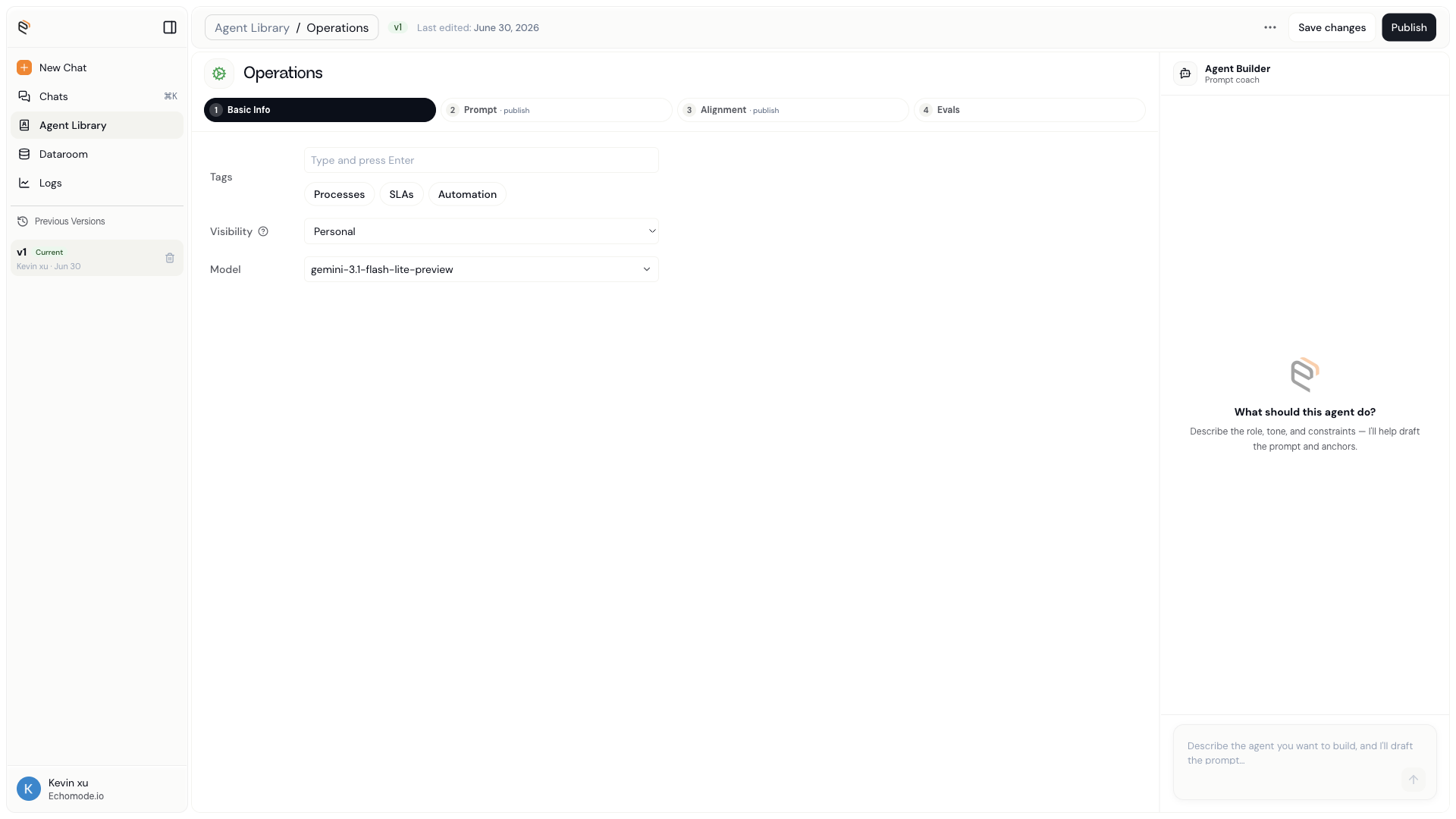
The Previous Versions rail lists each published version with its author and date; the newest is badged Current.
The newest published version is badged Current. As you publish more, each version stacks here newest-first, and on any older version you can:
- diff it against another version to see what changed, or
- Edit it to start a new draft from that point.
Chats stay pinned to a version
Every chat remembers the exact agent version that produced it. When you start a chat, it pins to the agent's current version and keeps using that snapshot for the whole conversation - so publishing a new version later never changes a conversation that's already underway.
TIP
Because each chat is pinned, you can safely keep improving an agent without disturbing anyone mid-conversation. New chats simply start on the newest published version.